✨ Quick Answer
What are the most common mistakes when buying a 3-in-1 foldable travel charging station?
The most common mistakes include using an underpowered wall adapter (less than 20W), confusing magnetic alignment with actual 15W MagSafe/Qi2 fast charging, and neglecting the Apple Watch fast-charging module. Additionally, cheap units often suffer from high-pitched coil whine and poor heat dissipation, which can damage device batteries over time.
- Ensure your wall adapter provides at least 20W-40W of Power Delivery (PD).
- Look for Qi2 or MagSafe certification for true 15W iPhone charging.
- Check for ‘Fast Charge’ compatibility specifically for Apple Watch Series 7 and later.
- Verify material quality to avoid hinge fatigue and electronic ‘coil whine’ noise.
5 Costly Mistakes to Avoid When Choosing a 3-in-1 Foldable Travel Charging Station
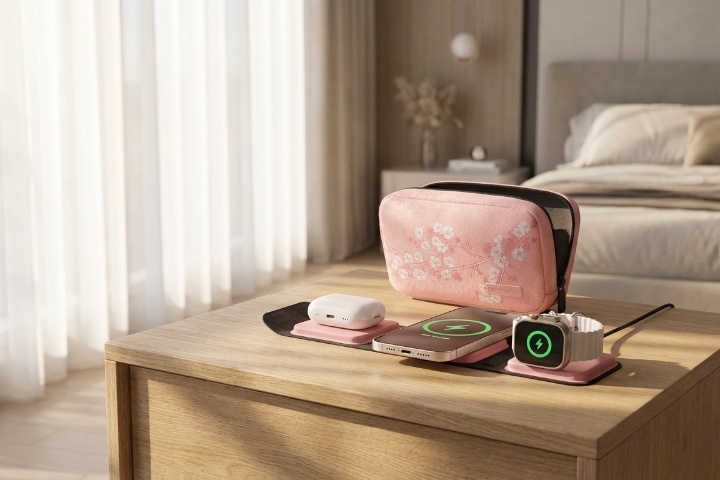
Traveling with multiple devices—an iPhone, an Apple Watch, and AirPods—usually leads to a tangled mess of cables. The 3-in-1 foldable travel charging station was designed to solve this, condensing three cables into a single, elegant pad. However, as the market has been flooded with low-cost alternatives, many travelers are finding that their new gadgets are underperforming or, in some cases, failing to charge their devices entirely.

Avoiding these common pitfalls requires looking past the marketing images and understanding the technical requirements of multi-device wireless charging.
Mistake 1: Under-Powering the Station with Old Wall Bricks
One of the most frequent reasons users report that their 3-in-1 station “doesn’t work” or “blinks” is that they are using an inadequate power source. Many users reach for an old 5W or 12W USB-A brick from a previous phone.
Because these stations must split power across three different coils (Phone, Watch, and Buds), they typically require a minimum of 20W to 40W of Power Delivery (PD). Without sufficient overhead, the station may charge the phone but lack the juice to start the watch charger, or it may cycle on and off repeatedly, which can degrade your device’s battery health through heat and inconsistent cycling.
Mistake 2: Confusing “Magnetic” with “MagSafe” or “Qi2”
There is a significant difference between a charger that is magnetic and one that is MagSafe or Qi2 certified. Cheap travel stations often use magnets to help you align your phone, but the internal electronics are limited to standard Qi speeds of 7.5W for iPhones.
True MagSafe or the new Qi2 standard allows for 15W charging. If you are buying a charger for travel, you likely want the fastest speeds possible to top up your devices before heading out for the day. Buying a “magnetic” station that lacks these certifications means you will be charging at half-speed, often taking several hours longer to reach a full charge.
Mistake 3: Neglecting the Apple Watch Fast-Charging Module
If you own an Apple Watch Series 7, 8, 9, 10, or an Ultra, your device supports fast charging. This allows the watch to go from 0% to 80% in about 45 minutes. However, adding a fast-charge module increases the manufacturing cost of a charging station significantly.
Many budget-friendly 3-in-1 stations use older, standard watch modules. This results in the watch taking 3+ hours to charge. For travelers who might only have an hour in the hotel room between excursions, this bottleneck can be a major inconvenience.
Mistake 4: Ignoring Electronic “Coil Whine” and Thermal Throttling
When electronics are manufactured with low-quality inductors and poor shielding, they often produce a high-pitched humming or whistling sound known as “coil whine.” While this might not be noticeable in a loud office, it can be incredibly disruptive in a silent hotel room while you are trying to sleep.
Furthermore, cheap units often lack aluminum heat-dissipation plates. As the station heats up, it will automatically throttle the charging speed to prevent a fire hazard. This means your “fast charger” may only stay fast for the first 10 minutes before dropping to a crawl due to heat buildup.
Mistake 5: Using Non-Magnetic or Thick Protective Cases
Travel chargers are built for portability, meaning their induction coils are often smaller than those found in bulky desktop stands. If you use a thick case that isn’t MagSafe-compatible, the physical gap between the coil and the phone increases. This gap causes the charger to work harder, generating excessive heat and often leading to “flicker charging,” where the connection is lost and regained every few seconds.
How to Avoid These Mistakes
To ensure you get a reliable experience, follow these three principles:
- Check the Input: Ensure the station comes with (or you provide) a 30W+ USB-C PD wall adapter.
- Look for Certifications: Specifically look for “Qi2” or “Made for MagSafe” if you want 15W iPhone charging.
- Assess the Build: Look for silicone or high-quality hinges that can withstand hundreds of folds without tearing the internal ribbon cables.
Solutions That Address These Issues
If you are looking for hardware that avoids these common pitfalls, consider these examples of well-engineered solutions:
- For Speed and Certification: The Anker MagGo 3-in-1 Wireless Charging Station is a benchmark for the new Qi2 standard. It provides the full 15W charging speed and, crucially, includes its own 40W adapter, so you don’t have to worry about under-powering the unit.
- For International Travelers: The mophie 3-in-1 Travel Charger with MagSafe is a premium kit that includes a dedicated carrying case and international plug adapters. This solves the problem of finding compatible wall outlets in different countries while maintaining official MagSafe speeds.
- For Modular Versatility: The ESR 3-in-1 Travel Wireless Charging Set offers a unique solution to the watch-charger problem. Its Apple Watch module is removable and can be plugged directly into a laptop USB-C port, which is helpful if you want to charge your watch separately from the main base.
Who Does NOT Need to Upgrade?
You may not need a premium 3-in-1 station if you primarily charge your devices overnight and don’t care about fast-charging speeds. If you have an older iPhone (model 11 or earlier) that doesn’t support MagSafe, a basic magnetic station will perform just as well as an expensive one, as your phone cannot utilize the faster 15W speeds anyway.
Final Practical Advice
Before you pack your bags, test your charging station at home for at least two nights. Check if the watch module actually charges your specific model at the expected speed and listen for any electronic noise. It is much better to discover a “coil whine” issue or an underpowered adapter in your bedroom than in a hotel room halfway across the world.
📧 Sign up here to receive the HotNewFinds weekly newsletter for useful advice on new products and noteworthy deals!
❤️ Businesses with innovative and unique products? Reach out to us. We'd love to feature your top-notch products too, keeping our high standards for all readers.